 Routify
 en
en Русский
Smart routing
AI detects the topic of each post and spreads one stream of sources across chats and forum topics.
Smart routing takes posts from a shared stream of sources and sorts them into chats for you. You create categories, for example "Incidents", "World politics", "AI", "Humor & memes", pick recipients for each and describe in a few words what belongs to it: these descriptions are how AI tells the categories apart. Then AI reads every new post, decides which category it belongs to and sends it to that category's recipient or recipients. The handiest setup is one forum group with a topic per category.
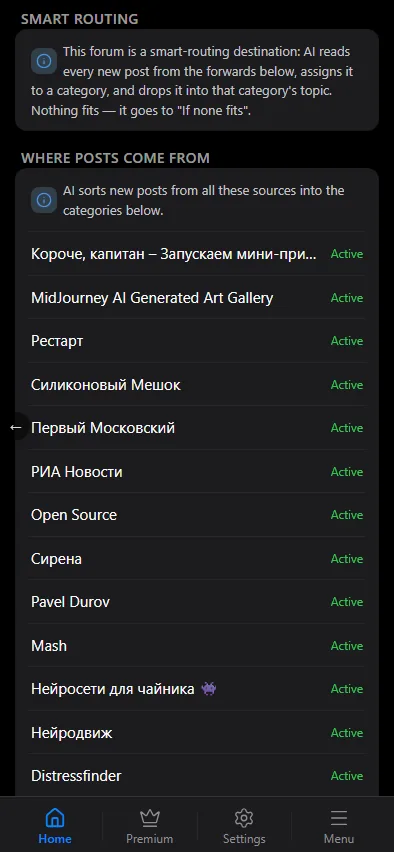
Where posts come from
Sources are added to smart routing itself, not to individual chats: Add forward and the list of sources work the same way as in a regular chat's settings. Every new post from these sources goes through the categories below.
Categories
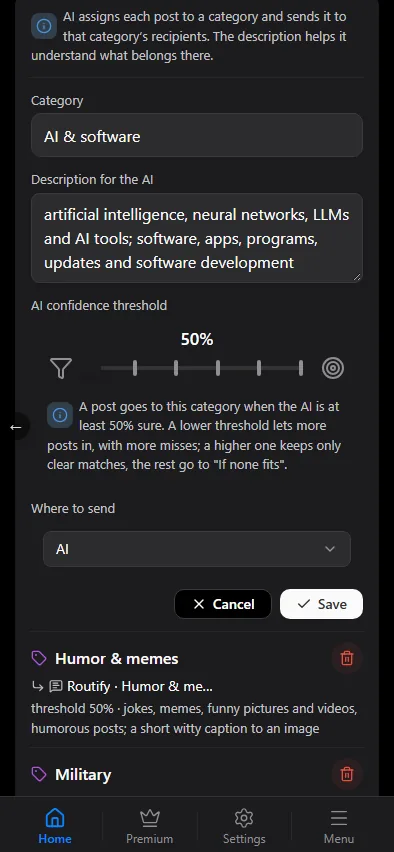
Each category has:
- Name: short, for example "Economy & business".
- Description for the AI: what belongs to the category. The more specific, the more accurate the sorting: list topics, names, typical words. Any language works.
- AI confidence threshold: from 50 to 100%. A post gets into the category only if AI is at least this confident. A lower threshold lets more posts in along with more misses; a higher one keeps only clear matches.
- Where to send: one or more of your chats. For a group with topics, pick the topic from the list; if it isn't there yet, enter it as a link or a number.
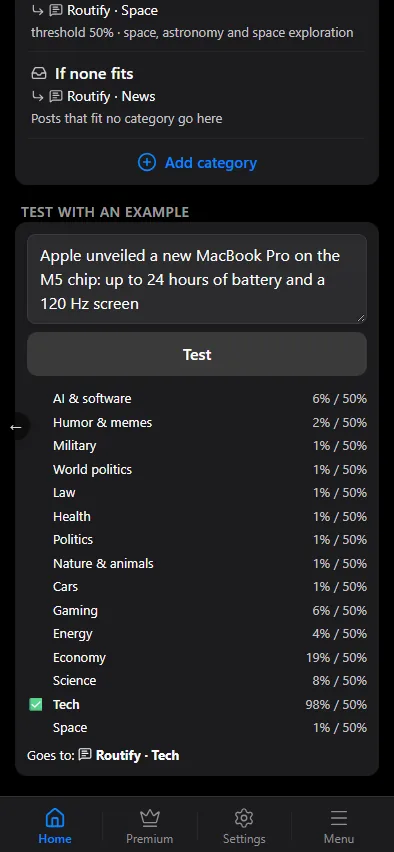
If none fits is a separate row at the end of the list: posts that didn't reach the threshold of any category go here. By default it's your private chat with the bot.
If a post fits several categories
- Best one only: the post is sent once, to the category with the highest confidence.
- Every match: the post is sent to every category whose threshold it passed.
Test with an example
Paste a post's text into Test with an example: the mini app shows which categories AI assigned it to and where it would go. Nothing is published, so it's a good way to tune descriptions and thresholds.
Why a post went here
A sent post is recorded in the history of every chat it went to: if a post went to three chats, all three histories have it. Smart routing itself keeps no history of its own.
In the history, every smart-routed post has a Category detection step: which category was picked, with what confidence and why, either the most confident one or none reached its threshold. The category scores link expands the scores of all categories with their thresholds.
The recipient chat's settings show at the top what smart routing delivers there: how many sources and which categories. The Smart routing settings button opens its settings.
After routing, posts go through the recipient chat's usual processing: filters, replacements, AI processing and the template.