 Routify
 en
en Русский
Destinations
Channels, groups, forum topics and private chats; the bot as an administrator; delivery from your account.
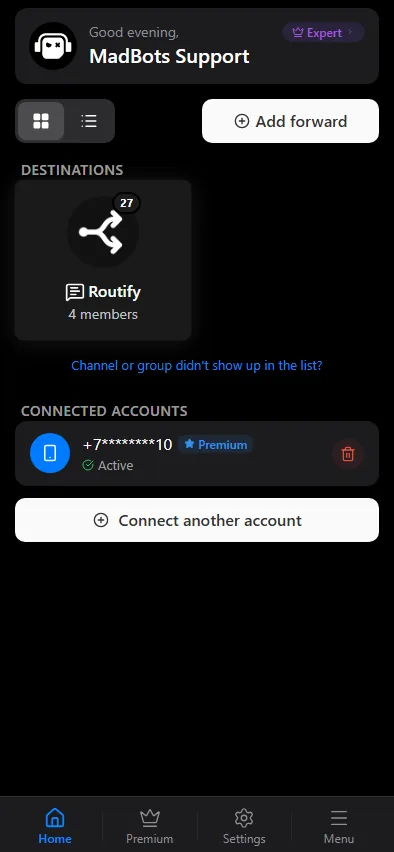
A destination is the chat where the messages go: a channel, a group, a topic in a forum group or a private chat. Every destination is a card on the home screen of the mini app, with its own list of sources and its own settings. Your account can control any number of destinations; the plan limit on sources is counted across all of them.
Adding a chat
- On the home screen press Add chat.
- If several accounts are connected, pick one — the list that follows is that account's chats. Narrow it with Channels, Groups, Users or the search field, and tap the chat. A
t.melink works instead of the list — a public name or an invite link, see Adding a source → Paste a link. - In a group with topics enabled the app asks for a Forum topic: every source of this destination will post into it. If the group has no topics yet, the app says No topics found.
The chat appears on the home screen with its own card; open it to add sources and change settings.
Who sends: the bot or your account
The messages reach the destination in one of two ways, chosen when the source is added, see Delivery modes. The choice decides what the destination needs.
By @RoutifyBot. The bot must be in the chat with the right to post: an administrator in a channel, a member with posting rights (or an administrator) in a group. Add it yourself in Telegram — open the channel or group, add the administrator, search for exactly @RoutifyBot. The app checks the rights and reports Bot is admin in … or Bot is not an admin in … with the hint Add the bot as an administrator to enable forwarding; until then the delivery presets that go through the bot are unavailable. In a channel or a group the messages can also come from a bot you created — see Your own bot.
When you search for the bot, make sure the username is exactly @RoutifyBot. Bots with similar names are not ours.
From your account. Nothing is added to the chat: the connected account posts there under its own name, so it must be allowed to post — a member of the group, an administrator with posting rights in a channel. Readers see an ordinary message from you, or a forward with the source's name on it if you chose the forward mode.
Private chats
A private chat can be a destination when the messages are sent from your account: a person's dialog or your own Saved Messages. A bot cannot write to a person who has not started it, so for private destinations pick a delivery mode from the account.
Forum topics
The topic is chosen when the chat is added; every source of the destination posts into it. To deliver to two topics of one group, add the group twice, once per topic — each becomes its own destination with its own sources.
One chat, several roles
A chat can be the destination of one rule and the source of another, which lets you chain: a private working channel collects messages from several sources, and a public channel is fed from it after moderation. What a chat cannot be is a source of itself: the app refuses with Can't forward a chat into itself — pick a different destination.
What is stored per destination
The sources, the delivery settings, the sync settings, the pipeline sections, the delivery log and the warnings. Export and import of all of it is in Import and export.