 Routify
 en
en Русский
Delivery window
Deliver only inside chosen hours; drop what arrives outside them.
The delivery window is part of Message filtering and is available on the Pro plan and above.
The delivery window is the time filter of Message filtering and works for the chat and for a single source. Messages that arrive outside the window are not delivered; they appear in the delivery log as filtered with the reason "outside the delivery window".
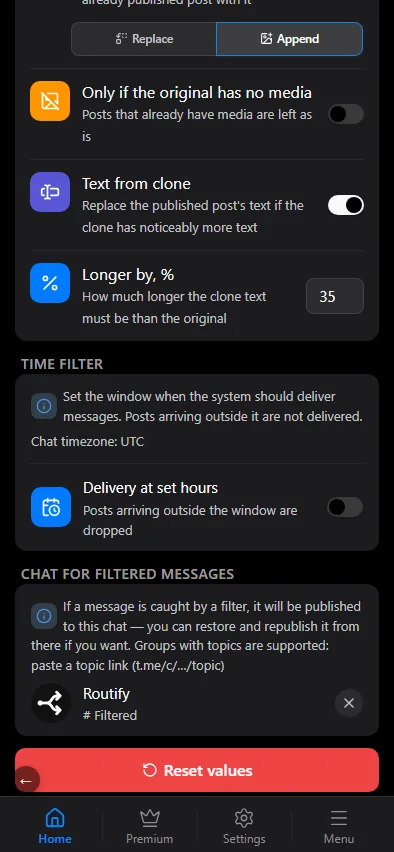
Setting it up
- Open the chat (or a source) → Message filtering → the time filter.
- Switch on Deliver only during these hours. A first schedule appears at once: every day, 09:00–21:00.
- Adjust the days of week; the shortcuts Every day, Weekdays, Weekend and None save taps. A new schedule already carries a 09:00–21:00 period; if you delete every period, picking a day fills in 00:00–23:59. Add schedule adds another schedule.
- Add one or more delivery periods — start and end time — for those days; any period can be deleted, including the last one.
- Need different hours on different days? Press Add schedule again and configure another group of days with its own periods.
None, or clearing every day of a schedule, turns that schedule's window off — it does not mean "every day". The app says so under the block: No days selected — the window is off.
The times are in the chat's time zone, shown at the top of the block.
When to use it
- A personal feed that should stay quiet at night.
- A channel whose audience is in one time zone: no posts at 4 a.m.
- Weekend-only chats.
- A source that posts around the clock, of which you only want the working-hours part — set the window on that source, not on the chat.
What the window does not do
It does not hold messages. What arrives outside the window is gone for that chat: it is not delivered later, and Copy history will not bring it back either, because the filter runs on every message that passes the pipeline. To queue messages and publish them when the window opens, use the publishing window of deferred posting instead — the two can be combined, the filter dropping the night and the queue smoothing the day. A manual Send latest post ignores this window (and the deferred-posting window) — content filters still apply.