 Routify
 en
en Русский
What Routify does
A short tour of the bot before you connect the first account.
Routify is a Telegram bot that moves messages between Telegram chats. A source is any chat your Telegram account can read — a channel, a group, a topic in a forum group, a private chat with a person or with another bot, public or private. A destination is a channel, a group, a topic or a private chat. Between them every message passes a pipeline you control: filters, text replacements, translation, AI processing, your own message template, a watermark, a delivery schedule or a moderation queue.
The difference from a bot that has to be added to every source chat: Routify reads sources through your connected Telegram account. You sign in once with your phone number, and the bot sees the chats you see — including private groups and channels where a bot can never be added.
Besides forwarding, Routify builds AI digests: a scheduled summary of several sources in one message. See Digests.
Besides messages from sources a destination chat can carry your own: you write them by hand in the mini app and send them at once or put them in the schedule — see Post publishing.
How it works
- You connect an account. Phone number, confirmation code, the two-factor password if you have one — see Connecting an account. Several accounts can be connected.
- You pick a destination — the chat where the messages should go — and add sources to it: chats of a connected account, or a link to a public chat. See Destinations and Adding a source.
- A new message appears in a source chat, and the account receives it as you would. The message passes the pipeline of the destination and of the source: filters, replacements, translation, AI prompts, the template, the watermark.
- The message is delivered — as a copy or as a native forward, by @RoutifyBot or from your account, right away, inside an allowed time window, or into a moderation queue where you approve it first. See Delivery modes.
- Edits and deletions follow. When the source message is edited or deleted, the delivered copy can be edited or deleted too — see Syncing edits and deletions.
- Everything pending is in one place — the Schedule and queue section: a calendar and a list where source messages and your own posts wait their turn.
Where the controls are
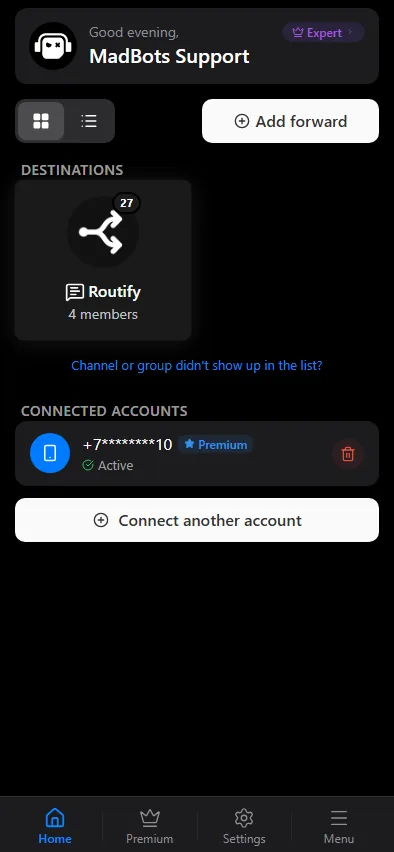
Everything is managed in the mini app: it opens from the bot's menu and is the control panel for accounts, destination chats, sources, settings, history and plans. The chat with the bot itself is only for /start, moderation cards and service messages. See The mini app.
What you need
- A Telegram account whose chats you want to read. It stays yours: Routify reads messages only in the chats you pick as sources, and sends from the account only when you choose delivery from it.
- For delivery by the bot into a channel or a group: administrator rights there, so that you can add @RoutifyBot as an administrator.
- Nothing else. Paid plans raise the limits and unlock the pipeline sections marked in this documentation. See Plans.
Where to go next
- Getting started — the first forward in a few minutes.
- Connecting an account — phone, code, two-factor password.
- Delivery modes — copy or forward, bot or account.
- Plans — what is free and what is paid.
Questions that are not answered here go to the support group @madbots_talk. Updates are announced in @madbots.