 Routify
 en
en Русский
Security and your account
What a connected session can and cannot do, what is stored, and how to end it.
Routify reads sources through your own Telegram account: you sign in once, and from then on the service sees the chats that account can see. This page explains exactly what that means.
What is stored
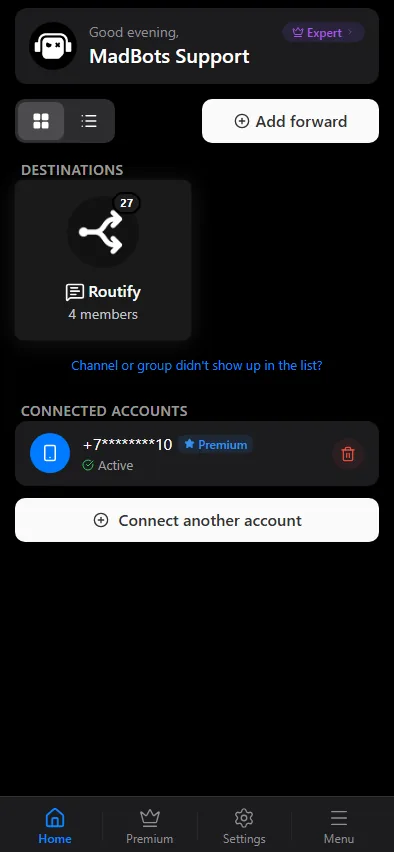
When you connect an account in the Accounts tab you enter a phone number, the confirmation code Telegram sends, and — if the account has two-step verification — the cloud password. Of these:
- the code and the password are used once, during sign-in, and are never stored;
- the phone number is stored masked — the first two and the last two characters, the rest replaced with asterisks;
- your name and username are not stored; the account is identified by its numeric Telegram id only;
- what is stored is the authorised session — the token Telegram issues to a signed-in device — together with a flag whether the account has Telegram Premium and the time of the last check.
The session lives on our servers and is never sent back to the mini app or shown anywhere.
What the session can do
Through the session Routify:
- lists the chats of the account, so you can pick sources and destinations;
- reads new messages in the chats you added as sources, and their edits and deletions;
- reads the last hours of a chat when a digest runs;
- resolves private invite links you add as sources;
- sends messages only when you ask for it — delivery from the account in Delivery modes, or a digest published as the account. By default the bot publishes, and the account only reads.
It never changes account settings, never joins or leaves chats on its own, and never reads chats you did not add.
Ending the session
Two ways, either is enough:
- In the mini app — the Accounts tab, Disconnect on the account. The stored session is deleted, and every source or destination bound to that account is switched off, so nothing keeps running on a session that no longer exists. Sources stay in the list with their settings and can be re-enabled after you connect an account again.
- In Telegram — Settings → Devices (Privacy and Security → Active sessions on some clients) lists the Routify session next to your phones and computers; terminate it there. The stored session stops working immediately; the mini app marks the account inactive on the next check.
The account and Telegram's rules
Reading many chats automatically is something Telegram may restrict, and it applies its rules to the account, not to Routify. The service spaces its requests, but:
Use a spare account rather than your main one if you can. A restriction that Telegram applies to a connected account is not something we can lift, and it is not a ground for a refund — see the refund policy.
When you sign in with your primary account, type the confirmation code with underscores between the digits, for example 1_2345. Otherwise Telegram treats a code pasted into another app as leaked and rejects the sign-in.
Everything else
Chats, sources, settings and the history of deliveries are stored on our servers. Unlink chat in the chat settings removes a chat with everything attached to it. The privacy policy describes the retention rules; the support group can delete an account entirely on request.