 Routify
 en
en Русский
Schedule and queue
The calendar and list of everything waiting to go out — your posts, messages under moderation, moves, statuses and auto-delete marks.
Everything pending lives in one section. Both your own posts, scheduled in Post publishing, and source messages awaiting a decision with deferred posting on end up here.
The Schedule and queue entry shows up in the Management block on its own as soon as the chat's queue holds at least one row, and it carries a counter. An empty queue, no entry.
Two views
The switch in the header changes the view, not the contents: it is the same list.
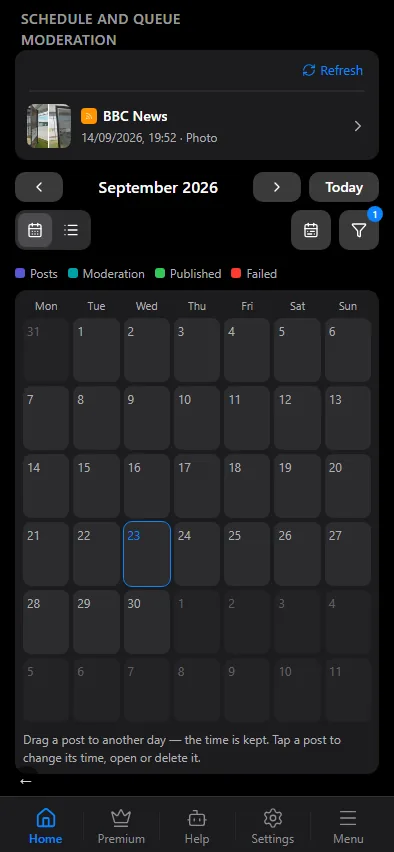
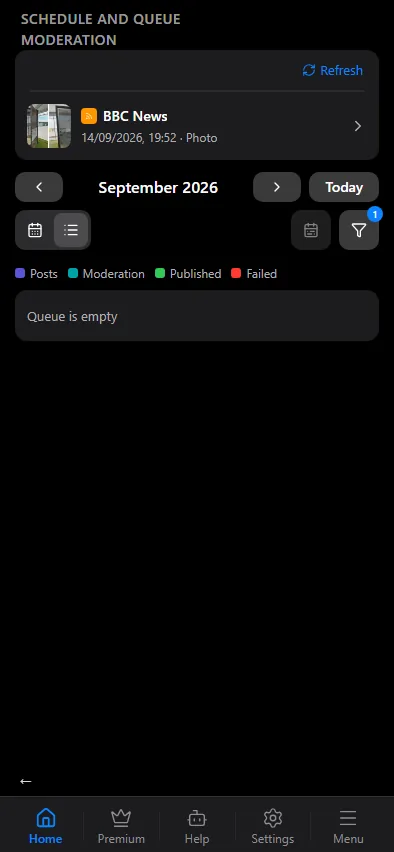
Calendar
A month with posts on their days; Today jumps back to the current month. A post can be dragged to another day — the time is kept. Tapping a post opens a menu:
- Move — change the date and time;
- Open in editor — your own posts only;
- Delete — drop it from the schedule.
Published posts are hidden in the calendar by default so the grid shows what is still ahead. Show published brings them back, Hide published takes them away again.
List
The same posts as rows, with the creation date and the publish date. The filter in the header:
- All — the whole queue;
- Moderation — source posts awaiting a decision only;
- Posts — your own posts only.
Refresh re-reads the queue. Dates are in the chat's time zone (Settings → Time zone).
Statuses
| Status | What it means |
|---|---|
| Draft | saved in the editor, going nowhere |
| Scheduled | waiting for its moment |
| Publishing | being sent right now |
| Published | already in the chat |
| Publish failed | sending failed; the reason is on the row |
A post with auto-delete carries a mark with its deadline: before publication, how long it will live; after it, the date it disappears from the chat.
What is edited where
The queue is shared, but the posts in it come from different places:
| Your post | Source post | |
|---|---|---|
| Comes from | the mini app editor | a source |
| Enters the queue when | you press "Schedule" | deferred posting is on |
| Editing | "Open in editor" | in the moderation chat |
| Filters, replacements, template | not applied | fully applied |
A source post can be published or deleted from this section, but not rewritten: its text is edited in the moderation chat — and without a moderation chat of your own, not at all.