 Routify
 en
en Русский
Chat for filtered messages
Dropped posts are not lost silently: each one is published to your private channel or forum topic with the reason.
Nothing is lost silently. Connect a private channel or group in Chat for filtered messages — a topic of a forum group works too, paste the topic link — and every post caught by a filter, including a clone dropped by the similarity filter, is published there with the reason. You see exactly what gets filtered and can loosen a rule that is too strict; a post you like can be forwarded to the channel by hand. The block exists only in the chat's Message Filtering.
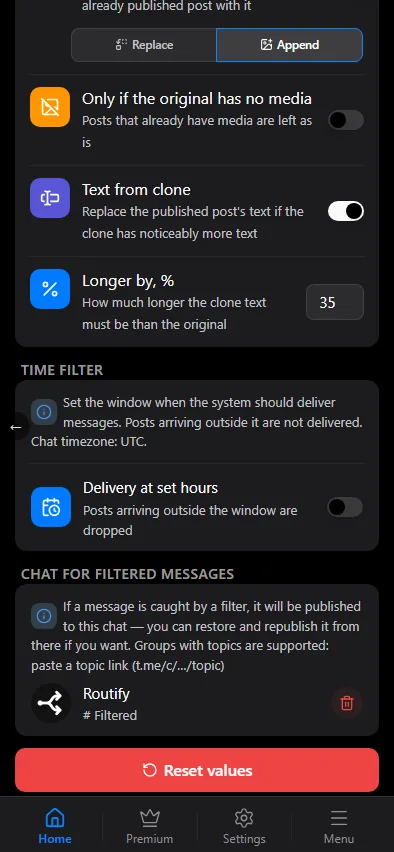

How to connect it
- Add @RoutifyBot as an administrator of the chat.
- Paste its id,
@usernameor a link to a topic of a group with topics (t.me/c/…/<topic>) into the field. On saving, the mini app checks whether the chat was found and whether the bot is an administrator there. - The connected chat is shown as a card with its title; the bin icon (with a confirmation) disconnects it.
If Mark as read is on for the recipient (Destination or Both), messages sent to this chat, albums included, are marked as read too. Posts are always sent there by @RoutifyBot as copies — with media, without syncing edits and deletions. The chat works on any plan.
What goes there
Each post carries a note with the reason: which rule or filter stopped it, and for a clone — how closely it matches the already published post, and the threshold.
It receives posts dropped by the content filter and the keyword filter at the "Original" and "Replaced" stages, by the time filter, the clones of the similarity filter, and posts dropped by AI filters — marked as filtered by AI, with the reason. Posts waiting on delayed filters do not go there.
Filtered, look-alike and AI-filtered posts show up in the events log with the reason either way — with or without a connected chat.